You can wake up more gently without installing anything: open Clock, edit your alarm and change its sound. For many people that is enough. I think the default tone is a harsh way to start a day, so here is how to change it, what Clock does well, and what apps can do since iOS 26.
Change your alarm sound in four taps
- Open ClockTap Alarms.
- Tap EditIt is in the upper-left corner. Then tap the alarm.
- Tap SoundChoose one.
- Tap SaveEach alarm has its own settings, so weekdays and weekends can sound different.
If your alarm only vibrates, check that the sound is not set to None. That tip is from Apple's own page.
What Clock does well
It is solid, and it deserves a fair hearing.
Apple states that Do Not Disturb, the Ring/Silent switch and Silent mode do not affect the alarm sound.
Turn it on in the alarm, and set the Snooze Duration.
Settings, then Sounds & Haptics, then the Ringtone and Alerts slider.
For many people that settles it.
My opinion is where it falls short: you choose one sound and it plays. I would like a morning to build up, and I did not find that among the options on Apple's page. If you find a built-in sound you like, use it and stop reading. If you wonder which kind to pick, I wrote about what the research says on alarm sounds.
Three quick checks tonight
- Check the volume before you sleep. Apple lists a quiet alarm as something to look at.
- Test a new alarm by setting it a minute ahead.
- Using headphones? Apple notes the alarm also plays through the iPhone's built-in speakers.
What changed with iOS 26
Apple now has a framework called AlarmKit that lets apps set alarms. In Apple's WWDC25 session, an alarm is described as a prominent alert that breaks through silent mode and the current Focus.
| AlarmKit lets apps | What it means for you |
|---|---|
| Show alarms on the Lock Screen, in the Dynamic Island and in StandBy | You see them where you see Clock's |
| Provide a custom sound | More choice of what wakes you |
| Include a countdown, for example for a snooze | You can see the time left |
| Ask you to opt in for each app | You will get a permission prompt |
In my view that widens the choice of alarm sound. Check that any app you use has the permission switched on, and test it once.
Where Wakebird fits
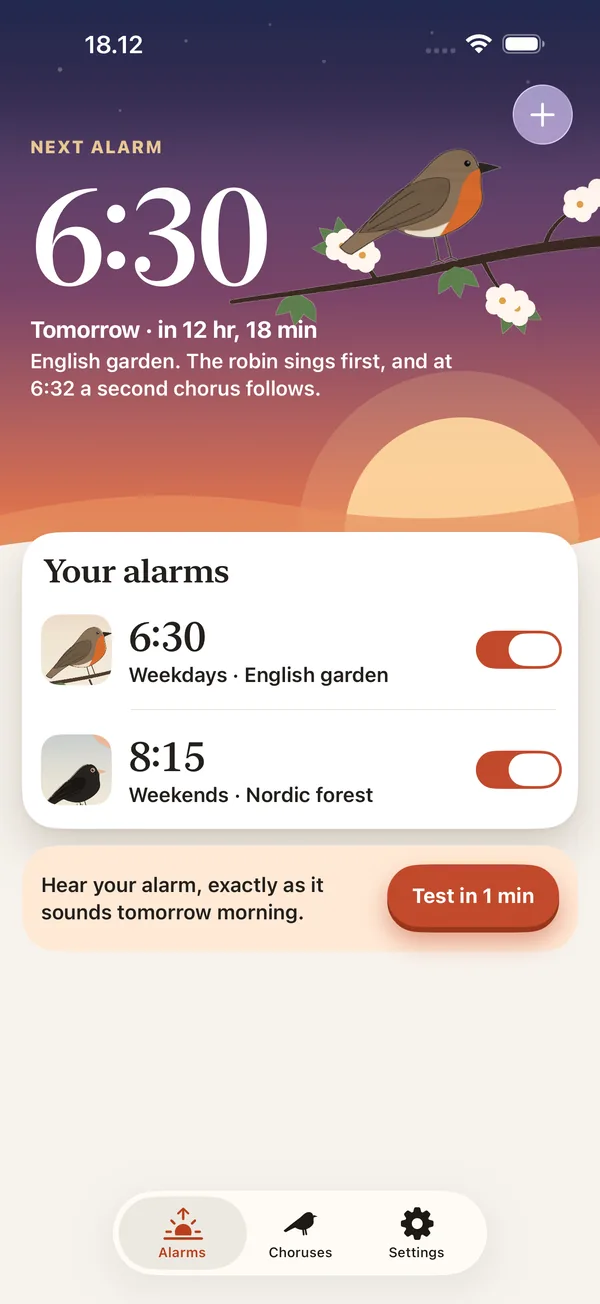
I made Wakebird, so take this as a recommendation from someone with a stake in it. It rings with real birdsong through iOS's own alarm system, so it sounds on silent or in a Focus.
 Download Wakebird from the App Store
It also has a sunrise alarm and shows which birds woke you. Set an alarm one minute ahead and listen before you rely on it.